
Choosing a 2.8 Inch TFT LCD Display is rarely a matter of selecting the brightest screen. It requires matching the display to the product’s real operating conditions. A handheld meter, medical monitor, and industrial controller may use the same size, yet demand very different specifications.
Ray Soneira, founder of DisplayMate Technologies, has repeatedly emphasized the importance of display performance in the user experience: “The display is the most important component of a mobile device.” His principle applies beyond phones. A small screen can determine whether users read a warning clearly, press the correct button, or abandon a device in frustration.
Begin with the viewing environment. A 320 × 240 panel may suit a simple instrument, but detailed graphs need higher resolution. Bright outdoor work may require strong backlighting and an anti-glare surface. Check the viewing angle, contrast, color depth, and touch technology together. They affect each other.
Do not ignore the interface.
SPI can simplify compact designs, while parallel interfaces may support faster image updates. Confirm controller compatibility before ordering samples. Measure the panel, bezel, connector position, and mounting holes physically. A few millimeters can stop installation.
Power consumption also deserves careful attention. Battery products need efficient LEDs and sleep functions. Industrial equipment may need wider temperature ratings and longer supply stability. These details are easy to overlook.
A reliable evaluation includes prototype testing, not only datasheet comparison. Test the 2.8 Inch TFT LCD Display under glare, vibration, temperature changes, and repeated touch input. I have found that laboratory results can look excellent, yet field readability remains disappointing. That gap deserves honest review.
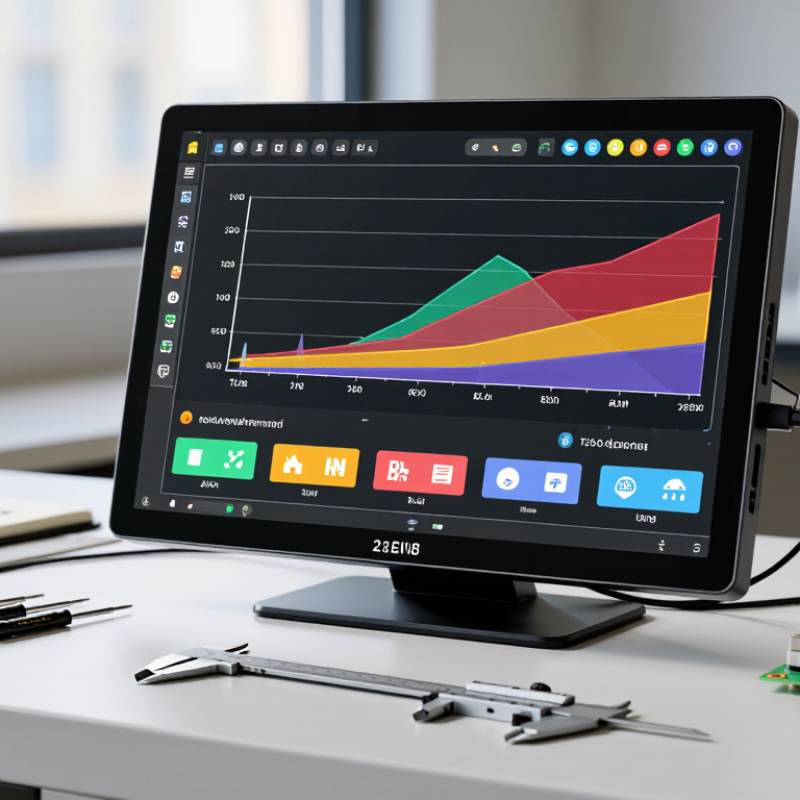
Identify the main requirements before comparing suppliers. Mordor Intelligence’s 2024 TFT LCD market analysis forecasts steady growth through 2029, driven by industrial, medical, and portable equipment. That growth increases choice, but not necessarily clarity. Define the viewing area, enclosure limits, and mounting holes first. A 2.8-inch panel with 320 × 240 pixels suits basic dashboards, while 480 × 640 pixels offers sharper text and graphics. However, higher resolution can increase power demand and processing load.
Brightness, contrast, and viewing angle need practical testing. For indoor equipment, 300–500 cd/m² may be adequate; outdoor instruments often require 800 cd/m² or more. Confirm these figures under the intended light, not only in a supplier’s laboratory. The DisplaySpecifications 2024 market database shows that IPS-type panels commonly provide wider viewing angles than conventional TN panels, but panel quality still varies. Small text can remain difficult to read.
Check the interface, touch method, operating temperature, and lifetime rating. SPI simplifies wiring, while RGB or MIPI may support faster image updates. Project records from industrial display integrators often show that connector position causes unexpected redesigns. I have seen this happen. Also verify backlight current, storage temperature, and controller compatibility. A glossy cover may improve visual contrast, yet reflections can make field use worse. Choosing only by resolution is tempting—and often wrong.
A 2.8 inch TFT LCD looks compact, but its specifications affect daily operation. Resolution is the first comparison point. A 240×320 panel can show menus and simple graphics clearly. A 320×480 panel offers finer text and smoother images. However, higher resolution can demand more memory and stronger processing. Check the viewing distance, too. Tiny labels may remain difficult to read, even with more pixels.
Interface choice affects wiring, speed, and software effort. SPI uses fewer pins and suits compact controllers, but screen refresh may be slower. Parallel interfaces need more connections, yet they can move data faster. Confirm voltage levels, connector layout, and controller compatibility before ordering. Small differences can create long debugging sessions.
Tips:
Compare real refresh needs, not only resolution. Display a busy screen during testing. Watch for flicker, tearing, or delayed touch response. Capacitive touch usually feels smoother and supports light contact. Resistive touch can work with a stylus or gloves, but it often needs firmer pressure. The touch layer may also reduce brightness slightly. My first instinct would be choosing the sharpest panel, but that is not always practical. A lower-resolution display with stable drivers may deliver a better result. Leave room for mistakes in cable length, enclosure openings, and calibration.
How to Choose a 2.8 Inch TFT LCD Display
Brightness is the first outdoor test, but maximum brightness alone can mislead. CIE 085:1989 identifies outdoor illuminance levels approaching 100,000 lux under strong sunlight. A 2.8-inch TFT LCD should usually deliver at least 500 cd/m² for shaded outdoor use. Direct sunlight may require 800 cd/m² or more. Measure the display with its cover glass installed. Adhesive layers and touch panels can reduce perceived brightness. A glossy surface may reflect the sky like a small mirror. That detail is often missed.
Viewing angle also affects real usability. Check brightness and contrast at 45 degrees, not only from the center. IEC 61747-1 provides guidance for measuring display electro-optical performance. Look for stable colors and readable text when the device tilts or moves. Wide viewing-angle claims may describe brightness only. They may ignore color shifts. Polarized sunglasses can make some panels appear unusually dark. Test with the intended eyewear.
Outdoor readability depends on contrast, reflections, and temperature. In practical testing, compare black text against a white screen near a window or outside. Use the same camera angle and lighting. I have found specification sheets insufficient for this decision. A brighter panel can still fail when its surface reflects clouds. The better choice may be less bright, but more readable. Calibration matters too. Poor backlight uniformity can create bright corners and distracting shadows.
| Display Profile | Typical Resolution | Brightness (cd/m²) | Viewing Angle (Horizontal / Vertical) | Contrast Ratio (Typical) | Sunlight Readability | Recommended Use |
|---|---|---|---|---|---|---|
| Standard Indoor TFT | 240 × 320 pixels | 250–350 | 70° / 50° | 300:1–500:1 | Limited | Indoor instruments and control panels |
| Wide-Viewing-Angle TFT | 240 × 320 pixels | 300–450 | 85° / 85° | 500:1–800:1 | Fair to good | Shared-view interfaces and vehicle controls |
| High-Brightness TFT | 240 × 320 or 320 × 240 pixels | 700–1,000 | 70°–85° / 70°–85° | 500:1–800:1 | Good with shading | Outdoor equipment and portable measurement devices |
| Sunlight-Readable TFT | 240 × 320 or 320 × 240 pixels | 800–1,500 | 85° / 85° | 700:1–1,200:1 | Very good with optical bonding or anti-glare treatment | Outdoor terminals, industrial handhelds, and navigation equipment |
A 2.8-inch TFT LCD is not automatically compatible with your controller board. Check the interface first: SPI, parallel RGB, or a higher-speed serial option. Confirm the logic voltage, operating voltage, pin order, and maximum current. A display using 3.3V logic can suffer permanent damage from a 5V signal. Measure twice.
The development platform matters just as much. Verify that its libraries support the display controller, touch interface, color depth, and screen orientation. Look for tested drivers, sample code, and available memory for frame buffers. A 240 × 320 screen needs 153,600 pixels, while a 16-bit frame buffer requires about 307,200 bytes. Limited memory can create flicker or unstable refresh performance.
The WSTS Autumn 2024 Forecast expects global semiconductor sales to reach approximately 626 billion dollars in 2024. This growth can improve component availability, but it does not guarantee matching controllers or connectors. Check current stock carefully. A technically suitable display may still delay development.
In practical testing, connect the display before designing its enclosure. Measure the active area, PCB edge, mounting holes, and cable bend radius. I have seen projects fail because the cable touched a nearby heatsink. That oversight feels avoidable. Also test the display under your real lighting conditions, because viewing angles and brightness ratings rarely reveal the full user experience.
Choosing a 2.8 inch TFT LCD display involves more than checking resolution and color depth. Power demand can affect battery life, heat, and system stability. Review the panel’s typical and maximum current, including the backlight. A bright screen may draw significantly more power. Check startup surges too. Your regulator must handle them without voltage drops. Sleep modes are useful in portable equipment, but confirm how quickly the display wakes.
Durability depends on the environment. For handheld devices, examine the cover surface, connector strength, operating temperature, and resistance to vibration. A display that looks excellent on a workbench may struggle near dust, moisture, or repeated cable movement. In practical testing, I would run the screen continuously and switch it repeatedly over several days. This reveals heat buildup and intermittent connections. I once focused too heavily on brightness and overlooked connector strain. That mistake was expensive in time, though avoidable.
Tips: Request complete datasheets, not only headline specifications. Test samples inside the finished enclosure. Compare actual current at your intended brightness. Ask whether the panel, backlight, and controller will remain available for several years. A second compatible source can reduce redesign risk. Keep records of tested settings. Small details matter. Availability claims should be confirmed in writing, because product lifecycles can change without much warning.
Compare common engineering targets for power consumption, durability, and long-term product planning before selecting a 2.8-inch TFT LCD display.
How to read the chart: Typical active power is shown as a range, while backlight life, operating-temperature span, and planned availability are practical screening targets. Actual values vary by resolution, backlight brightness, touch panel, controller, and operating conditions.
Thank you for reaching out.
Your message has been received, and a member of the Bluestem Energy Solutions team will be in touch soon. We appreciate your interest and look forward to connecting.
